
elasticsearch8.12.0安装分词
上篇说到,安装了es后正常运行
es分词下载地址
从 GitHub Release 下载(推荐)
👉 https://github.com/medcl/elasticsearch-analysis-ik/releases
或
https://release.infinilabs.com/analysis-ik/stable/
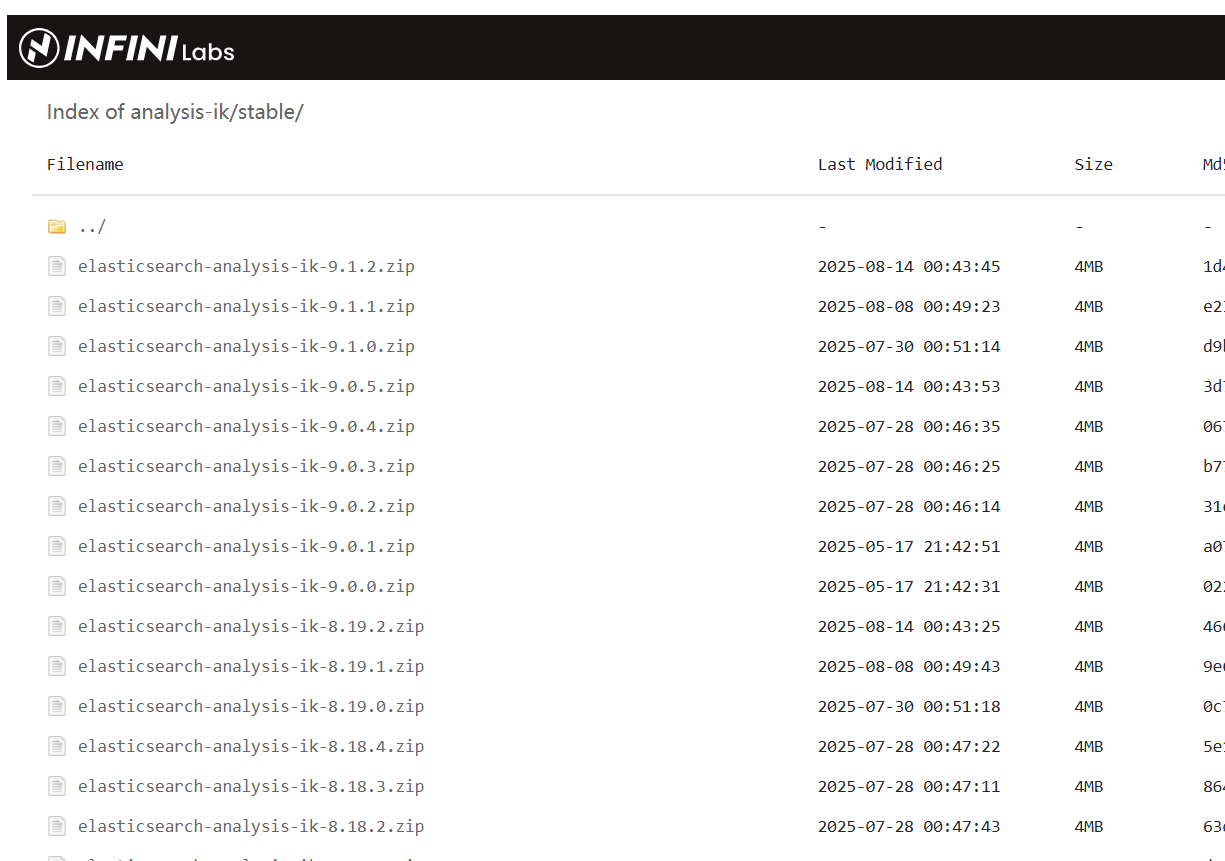
安装:
选择与你 ES 版本匹配的包,例如:
elasticsearch-analysis-ik-8.12.0.zip下载命令:
cd /tmp
wget https://github.com/medcl/elasticsearch-analysis-ik/releases/download/v8.12.0/elasticsearch-analysis-ik-8.12.0.zip
⚠️ 注意:不要下载
source code,要下载assets里的.zip文件。
3. 创建 plugins 目录(如果不存在)
Elasticsearch 插件默认安装在:
$ES_HOME/plugins/ik/创建目录:
mkdir -p $ES_HOME/plugins/ik4. 解压插件到 plugins 目录
unzip elasticsearch-analysis-ik-8.12.0.zip -d $ES_HOME/plugins/ik/
$ES_HOME是你的 Elasticsearch 安装目录,例如/data/isee/apps/elasticsearch-8.12.0
5. 检查目录结构
安装完成后,目录结构应如下:
$ES_HOME/plugins/ik/
├── plugin-descriptor.properties
├── plugin-security.policy
├── config/
│   ├── IKAnalyzer.cfg.xml
│   ├── main.dic
│   └── stopword.dic
└── lib/├── elasticsearch-analysis-ik-8.12.0.jar└── commons-codec-1.9.jar└── ...
6. 修改配置文件(可选)
配置文件路径:
$ES_HOME/plugins/ik/config/IKAnalyzer.cfg.xml你可以添加自定义词典:
<?xml version="1.0" encoding="UTF-8"?>
<!DOCTYPE properties SYSTEM "http://java.sun.com/dtd/properties.dtd">
<properties><comment>IK Analyzer 扩展配置</comment><entry key="ext_dict">custom.dic</entry><entry key="ext_stopwords">stopwords.dic</entry>
</properties>
然后在 config/ 目录下创建 custom.dic,添加自定义词汇:
人工智能
大模型
阿里云
Qwen
7. 设置权限(重要)
确保 Elasticsearch 用户有权限读取插件:
chown -R isee:isee $ES_HOME/plugins/ik
# 或你运行 ES 的用户
8. 重启 Elasticsearch
# 先停止
ps aux | grep elasticsearch
kill <pid># 启动
bin/elasticsearch -d
✅ 三、验证插件是否安装成功
1. 检查日志
查看 $ES_HOME/logs/isee_cluster.log,确认没有插件加载错误。
2. 调用分词 API 测试
# curl -X GET  -u elastic:9yZWp=3UnEVkBxYBhnlS "https://10.10.10.10:9200/_analyze" -H "Content-Type: application/json" -d'
> {
>   "analyzer": "ik_smart",
>   "text": "阿里巴巴推出通义千问大模型"
> }'
curl: (60) Peer's certificate issuer has been marked as not trusted by the user.
More details here: http://curl.haxx.se/docs/sslcerts.htmlcurl performs SSL certificate verification by default, using a "bundle"of Certificate Authority (CA) public keys (CA certs). If the defaultbundle file isn't adequate, you can specify an alternate fileusing the --cacert option.
If this HTTPS server uses a certificate signed by a CA represented inthe bundle, the certificate verification probably failed due to aproblem with the certificate (it might be expired, or the name mightnot match the domain name in the URL).
If you'd like to turn off curl's verification of the certificate, usethe -k (or --insecure) option.
才想起来,我们是https的服务,有ca证书,先不认证证书,-k
# curl -k -X GET  -u elastic:9yZWp=3UnEVkBxYBhnlS "https://10.10.10.10:9200/_analyze" -H "Content-Type: application/json" -d'
> {
>   "analyzer": "ik_smart",
>   "text": "阿里巴巴推出通义千问大模型"
> }'
{"tokens":[{"token":"阿里巴巴","start_offset":0,"end_offset":4,"type":"CN_WORD","position":0},{"token":"推出","start_offset":4,"end_offset":6,"type":"CN_WORD","position":1},{"token":"通义","start_offset":6,"end_offset":8,"type":"CN_WORD","position":2},{"token":"千","start_offset":8,"end_offset":9,"type":"TYPE_CNUM","position":3},{"token":"问","start_offset":9,"end_offset":10,"type":"CN_CHAR","position":4},{"token":"大模型","start_offset":10,"end_offset":13,"type":"CN_WORD","position":5}]}[isee@host-10-15-32-71 elasticsearch-8.12.0]$
分词安装成功。